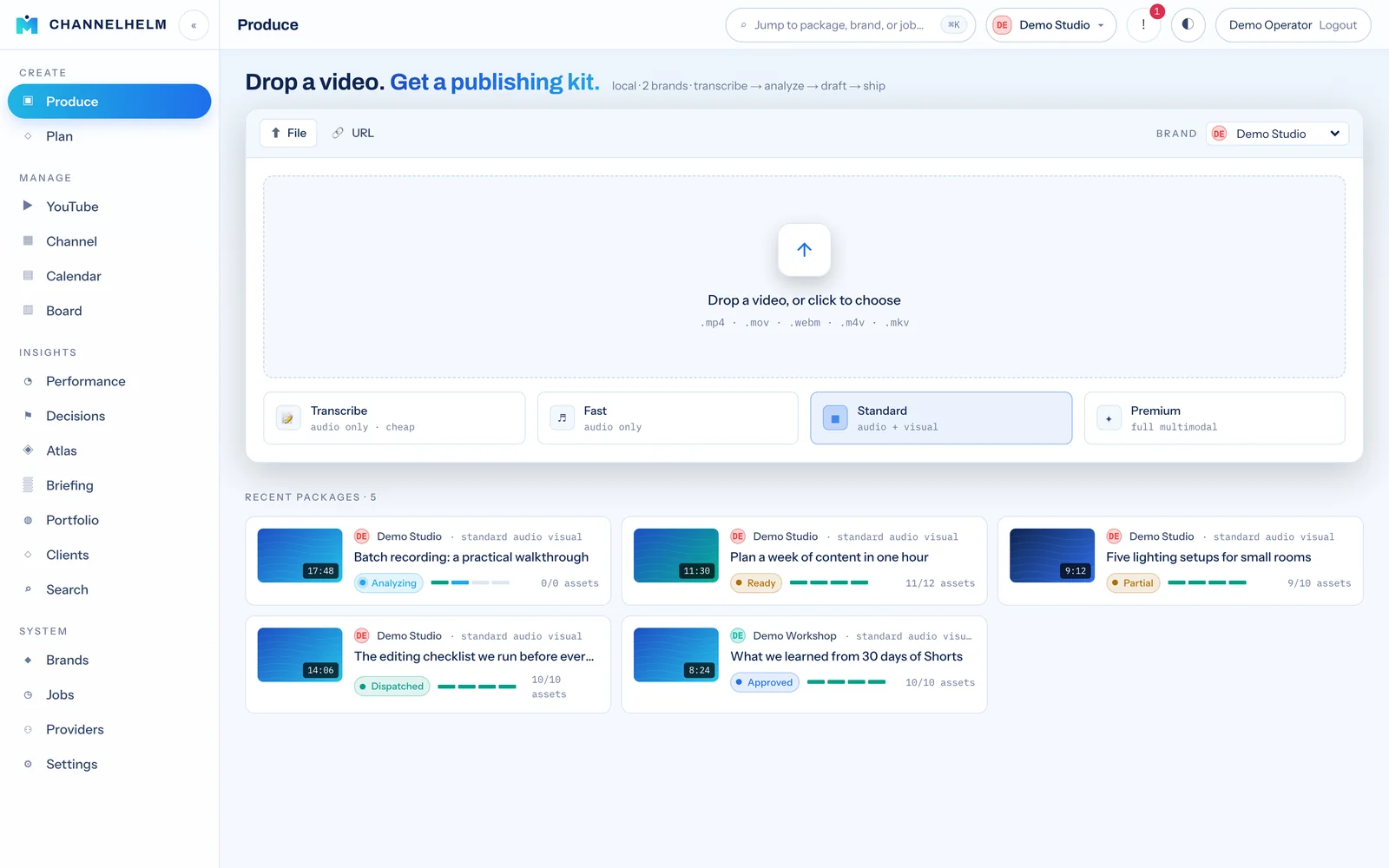
Local-first · runs on your own Mac

Drop a video.
Get a publishing kit.

ChannelHelm is a video-to-publishing command center. It watches your video — audio, visuals, and meaning — and drafts every asset for every platform. You review, edit, approve, and ship.

▶ Get started See how it works
no cloud SaaS · your media never leaves your machine
01

Audio

Transcription + speaker diarization with word-level timing.

02

Visual

Scene cuts, frame descriptions, and on-screen text (OCR).

03

Fusion

Audio + visual aligned into one timestamped scene log.

04

Intelligence

Topics, hooks, retention — the brief every asset is drafted from.

The problem

One video. A dozen platforms. Hours of repackaging.

A single upload needs a YouTube title, description, chapters, tags and thumbnail; short-clip cuts; a blog draft; and a post for every social network — each on-brand, each different. ChannelHelm does the first draft of all of it, locally, in one pass.

🧠

It understands the video

Not just a transcript — a four-layer read of what's said, what's shown, and what matters, fused into a timestamped scene log.

📦

It produces a Package

One source video becomes a canonical Publishing Package: every derivative asset, each with full provenance (which model, prompt, and inputs made it).

🔒

It stays on your machine

Local-first by design. Your media and transcripts never touch a cloud SaaS — the pipeline runs on your own Mac fleet.

How it works

From drop to dispatch in four moves.

Ingest

Drop a file or paste a link. For a YouTube URL, the brand is auto-detected from the channel — no manual picking. A package is created and the pipeline queues.
Understand

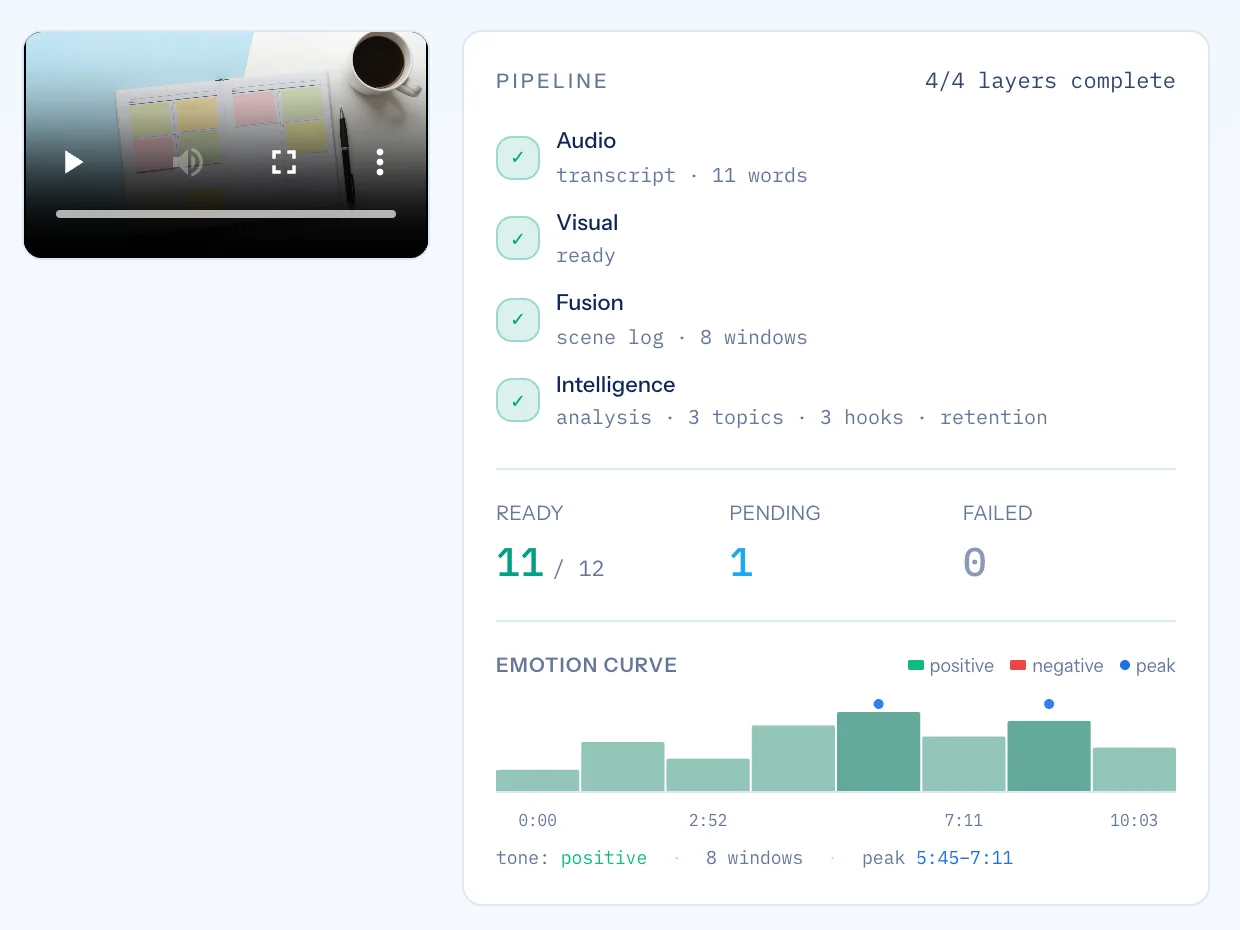
Background workers transcribe the audio, analyze the visuals, fuse them into a scene log, and extract the intelligence layer — topics, hooks, and retention windows.

Review in the Studio

Every asset is drafted and waiting. Read scored options, edit inline, regenerate a section, or generate one on demand — and watch the rest fill in as the pipeline completes.
Approve & ship

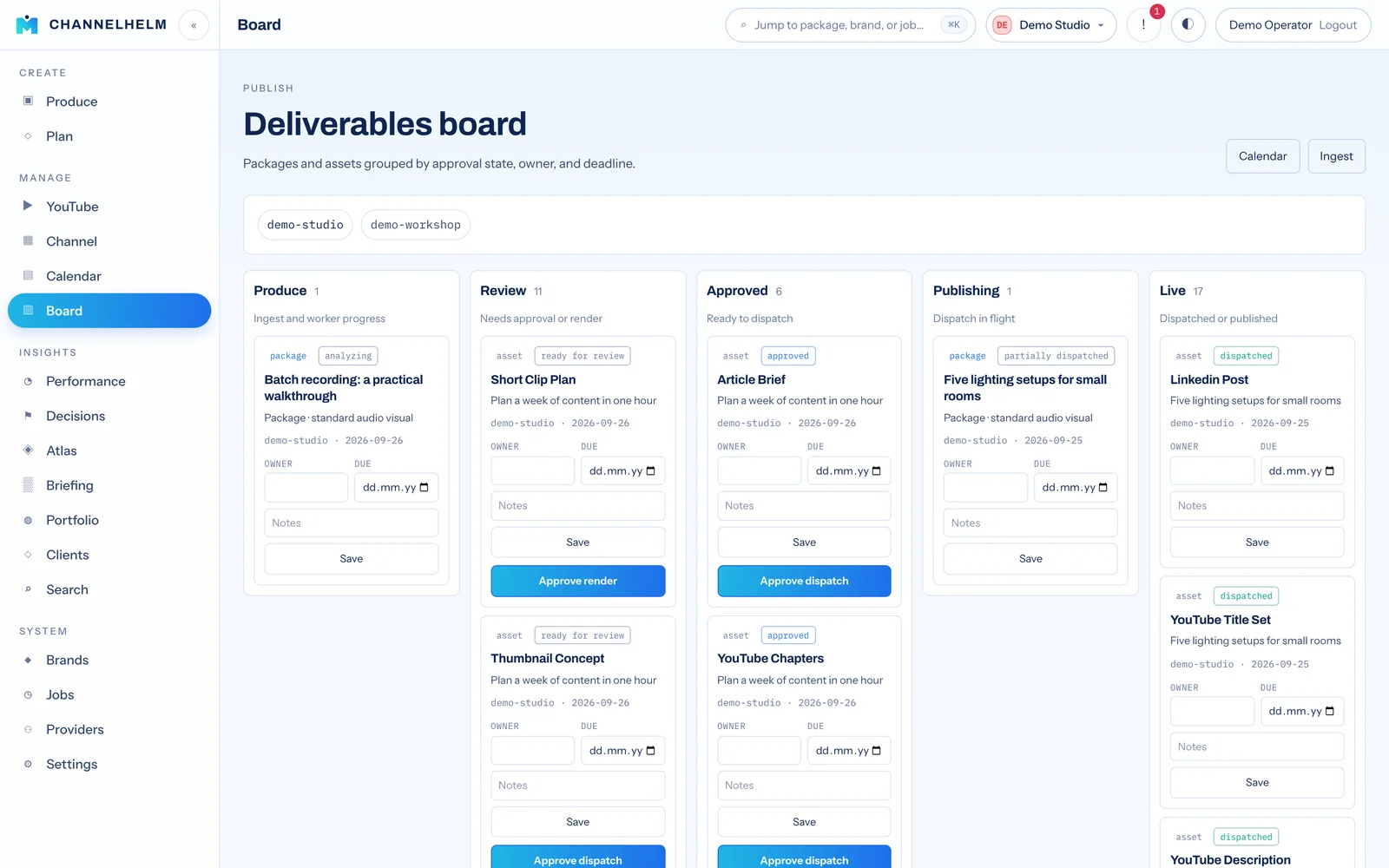
Approve what's ready and dispatch: YouTube and social via your publishing API, editorial to your local service. Track each asset through to published.

What you get

Every asset, drafted and on-brand.

One ingest produces the whole kit — scored where it counts, editable everywhere.

▶ YouTube

  • Title options, each scored 0–100 with a character budget
  • Full description with chapters and hashtags built in
  • Scored tags
  • AI-generated thumbnails (Runware) — plain + headline-overlay variants, with frame-extraction fallback
  • Clean transcript

✂ Clips & Shorts

  • Short-clip plans cut from the highest-retention moments
  • A full Shorts editor: word-snap trim, captions, 6 animated subtitle styles
  • Live subtitle preview — style without re-rendering
  • Rendered vertical clips with auto-written descriptions, ready to post

📄 Editorial

  • Article briefs and blog drafts from the same source
  • Newsletter summaries
  • Routed to your editorial service for publishing

𝕏 Social

  • Posts & threads tailored per network
  • 15 destinations from one analysis
  • Drafted in your brand voice
Publishes to
YouTubeX LinkedInInstagram TikTokFacebook ThreadsPinterest RedditBluesky TelegramSnapchat WhatsAppDiscord Google Business
The Studio

Review the way you think.

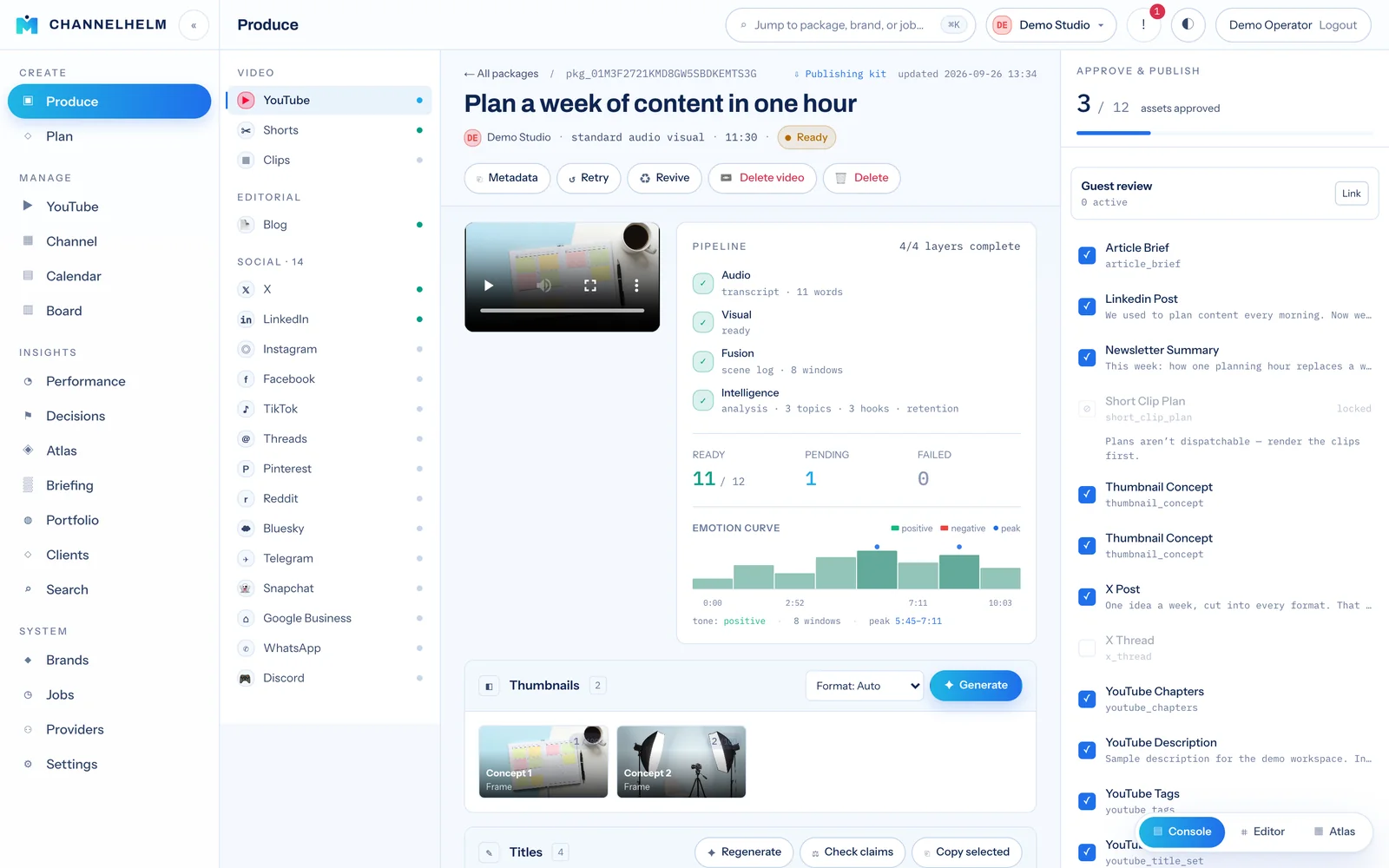
The per-package review is where you live. Three layouts, one keystroke apart — pick the one that fits the job.

Console

Two-pane daily review: platform rail, video + live pipeline + stacked assets, and a confident approval panel.
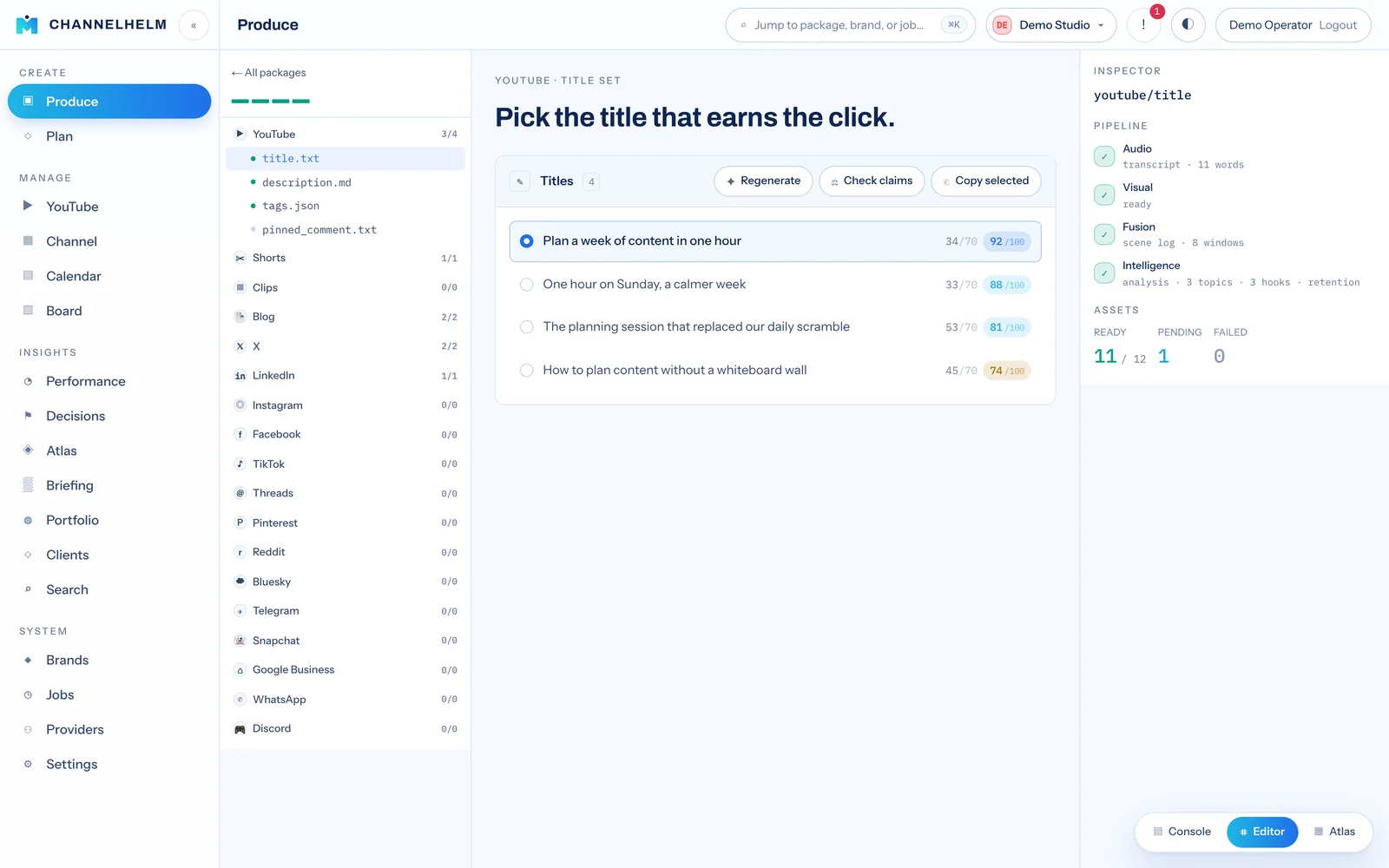
Editor

A file tree of every asset, a focused single-asset editor with side-by-side comparison, and a provenance inspector.
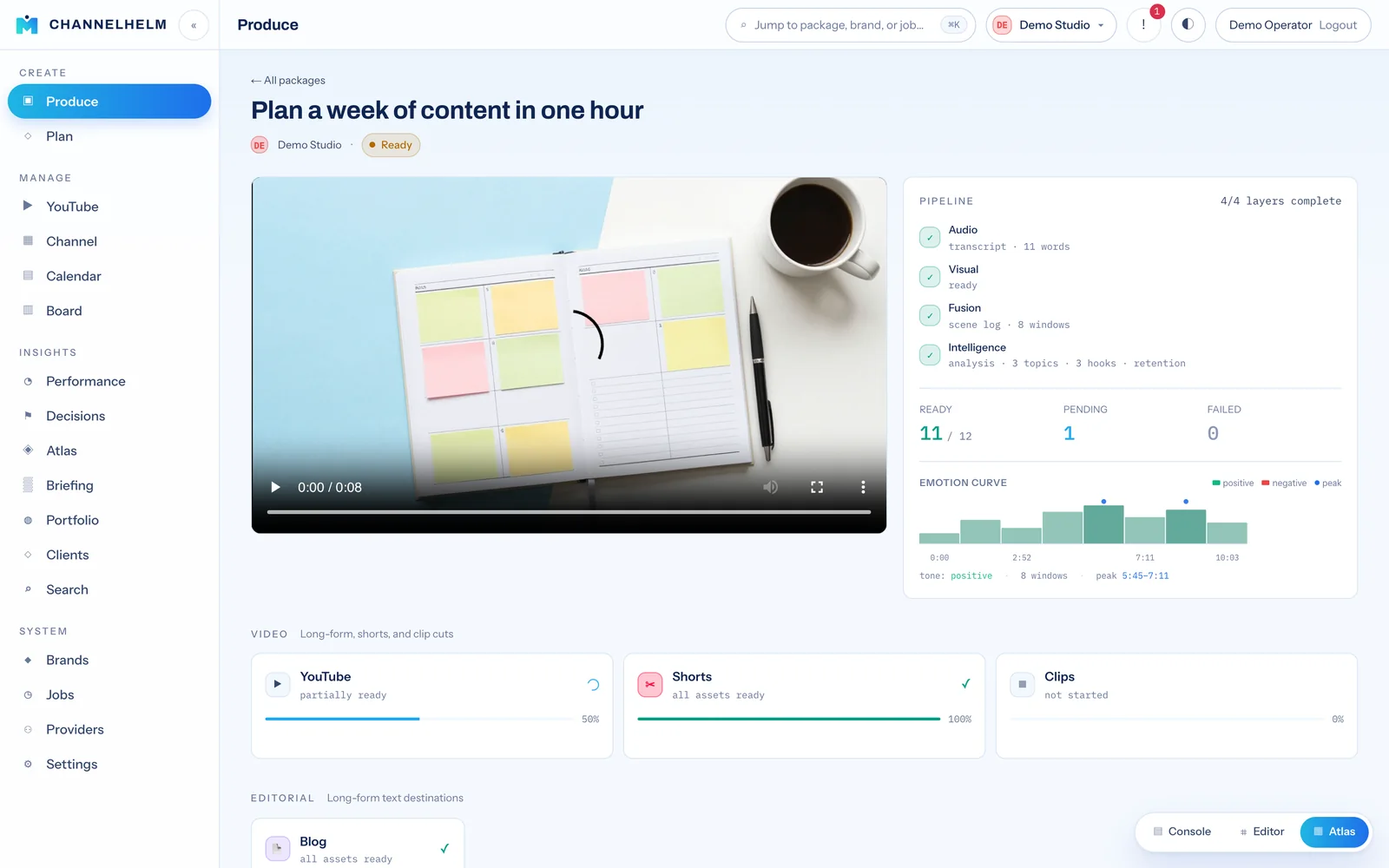
Atlas

An overview canvas of every platform with completion %. Triage what's ready; click in to focus.

Why it's different

Built like a studio, not an admin panel.

📊

Scored, legible options

Titles and tags carry 0–100 scores against character budgets, so the best pick is obvious at a glance — then editable inline.

Regenerate anything

Don't like a section? Regenerate just that one. Empty section? Generate it on demand straight from the transcript.

🏷️

Multi-brand, auto-detected

Run many channels. Paste a link and ChannelHelm matches the right brand from the channel — falling back to the website domain.

🔌

Bring your own model

Configurable LLM providers: OpenAI, Anthropic, OpenRouter, Ollama, LM Studio, OpenClaw, or the local Codex CLI — per task or as a default. Image providers too (Runware) for AI thumbnails.

Pipeline you can see

A four-layer progress indicator shows exactly what's done and what's still generating. Partially-ready is a first-class state.

🧾

Provenance on everything

Every generated asset records the model, provider, prompt version, and inputs that produced it. Nothing is a black box.

♻️

Backlog Revival

Re-mine an old video through the pipeline with your current prompts — defaults to the cheap transcription-only profile, so back catalogues yield fresh kits without re-recording.

Docs & deep dives

Read how it actually works.

Every part of ChannelHelm is documented — the pipeline, the publishing options, and the engineering decisions behind them.

How it works

The whole system in diagrams: the four-layer pipeline, video flow, and dispatch routing.

📖

Handbook

The complete operator manual — every screen, asset type, and workflow end to end.

Setup guide

Install on your Mac fleet: Postgres, workers, Python ML CLIs, and launchd.

Shorts editor

Word-snap trimming, six animated subtitle styles, live preview, and per-clip publishing.

🔌

LLM routing

Bring your own model: per-purpose provider routing, presets, and at-rest key encryption.

YouTube publishing

Direct upload with per-brand OAuth, privacy defaults, and metadata mapping.

🆎

A/B testing

Self-run title/thumbnail tests: rotate variants, read YouTube Analytics, apply the winner, feed it back.

Worker concurrency

The SKIP LOCKED queue and why N concurrent slots finish a package ~3× faster.

Visual optimization

Scene-cut VLM sampling and downscaling that made the visual phase ~10–14× faster.

🗄

Storage lifecycle

What's temporary, what's archivable, what's forever — plus the cleanup options.

For creators

Plain-English: what ChannelHelm does for your channel — the learning loop, the planning desk, and the business layer.

🧭

Roadmap

Eight waves shipped — through the v1.9 Vertical Intelligence wave (12 presets, Helm Decisions, content ROI) and the v1.10 Operator Command wave (portfolio view, brand health scores, acting decisions, global search). Scale + identity (v2) is ahead.

Drop your next video into ChannelHelm.

Run it on your own Mac, keep your media local, and turn one upload into a complete, on-brand publishing kit.